What the menu costs in your own money
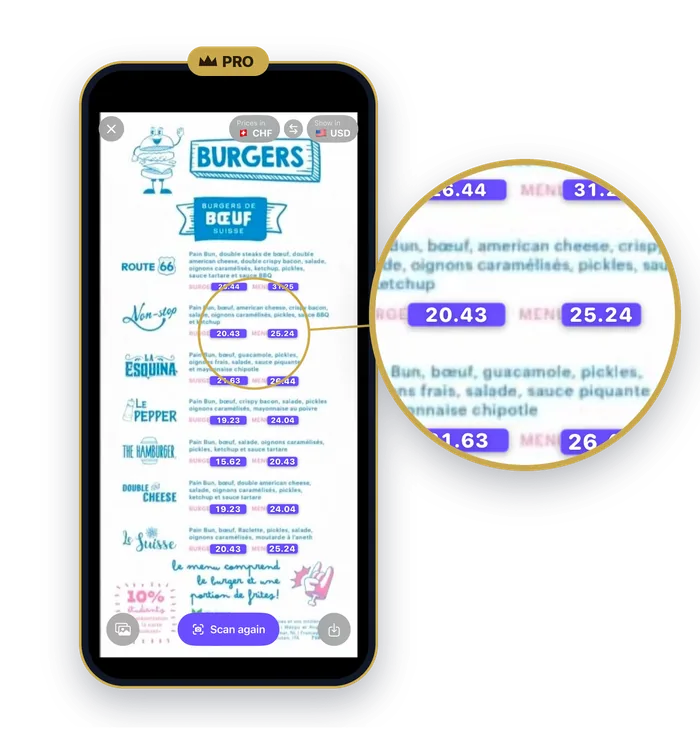
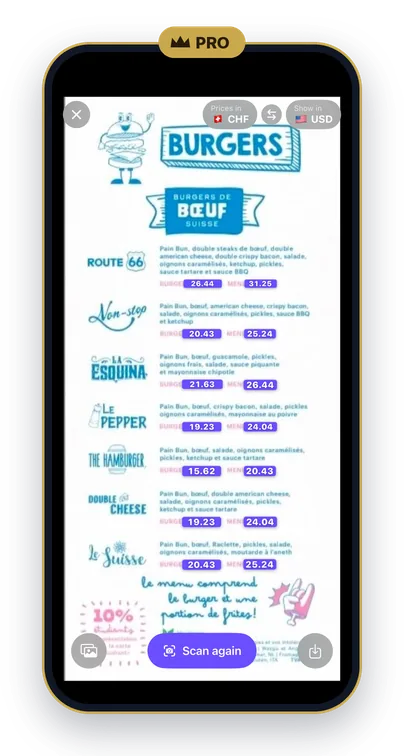
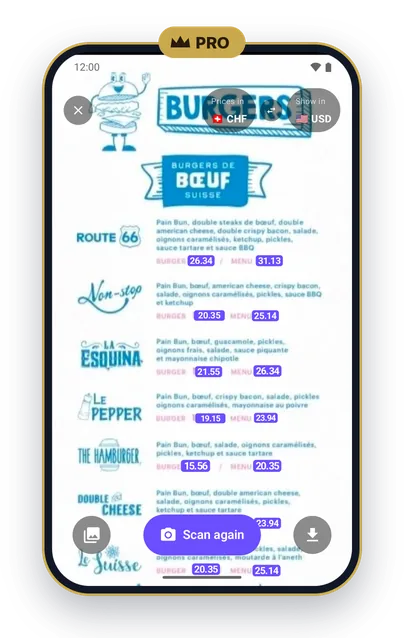
A menu in a currency you don't use means doing sums at the table. QuickFX Pro does them for you. Point your camera at a menu or a price tag and every price is converted right where it's printed. On iPhone the reading happens on the phone, so it works without a connection.
How to convert menu prices with your camera
- Open QuickFX and tap the camera button at the top of the converter.
- Check the two buttons at the top of the scanner. Prices in is the currency on the menu; Show in is the one you want to read. The arrows between them swap the two.
- Point the camera at the menu or price tag. Every price is converted right where it's printed. Freeze the picture, zoom in, or save it to Photos (to your gallery on Android).
Where the scanner helps
Menus. Every price on the page is converted at once, so you can compare dishes without working anything out in your head.
Price tags. In a shop, point the camera at the tag and read the price in your own currency.
With your card fee. If you've set your card's fee (also part of Pro), every scanned price includes it, and the Show in button shows the percentage. How the card fee works →
On iPhone and Android. On iPhone the reading happens on the phone, so it works without a connection. You can hold the phone sideways too. On Android the phone does the reading as well, but it needs a connection once to set up. With no signal, QuickFX converts at the last rates you downloaded.
What's free and what's Pro
The converter is free and always will be: 160+ currencies, rates updated every hour, widgets and rate alerts. The price scanner comes with QuickFX Pro, a yearly subscription on iPhone and Android, along with your card's fee, longer charts and ten colours for the converter. There are no ads and no account, with or without Pro.
QuickFX is free to download. Add QuickFX Pro to read every menu in your own money.
Free · iPhone (iOS 17 or later) · Android (8.0 or later) · QuickFX Pro is a yearly subscription
Frequently asked questions
Does the price scanner work without a connection?
On iPhone, yes: the reading happens on the phone. On Android it happens on the phone too, but it needs a connection once to set up. With no signal, prices are converted at the last rates you downloaded.
Does the price scanner work on Android?
Yes. It's part of QuickFX Pro on Android, the same as on iPhone. It needs Android 8.0 or later.
Can scanned prices include my card fee?
Yes. Set your card's fee in Settings and every scanned price includes it. The card fee is part of QuickFX Pro too.
Is the price scanner free?
The price scanner is part of QuickFX Pro, a yearly subscription. The converter itself is free and always will be.
Everything else QuickFX does →
More QuickFX Pro: Card fee · Exchange rate history